Can't find my Google Business through search when activating an item.
If you have entered the name and/or address of your business into a search and there are no results, it means that your Google My Business does not have an address.
In this situation, you need to add a link to your Google Reviews page.
How to do it
Step 1: Get a link to your Google reviews
You can find a link to your Google reviews page via desktop or mobile:
Desktop
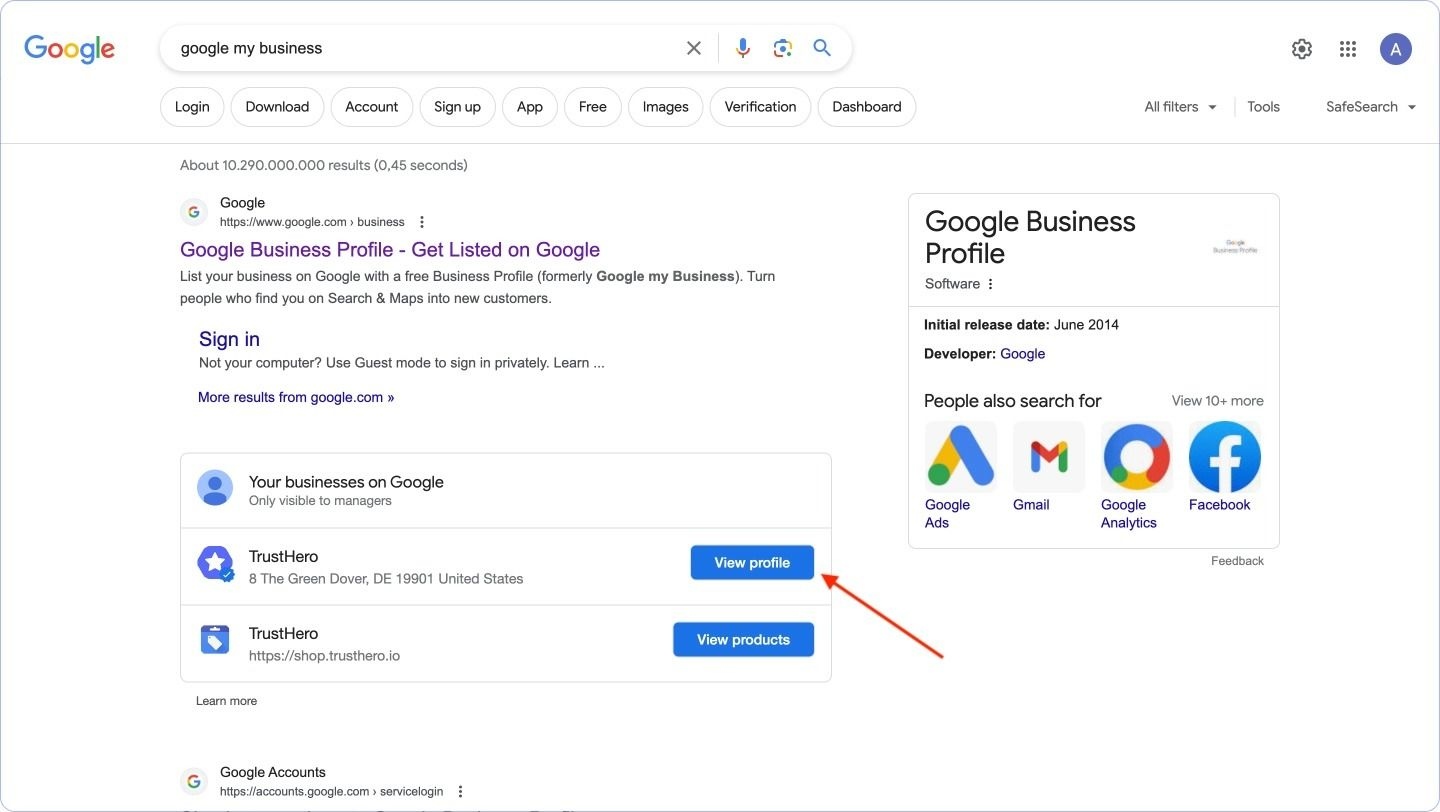
To get a link to your Google Reviews collection form you need to go to your Google My Business.
Select the required profile and click View profile.
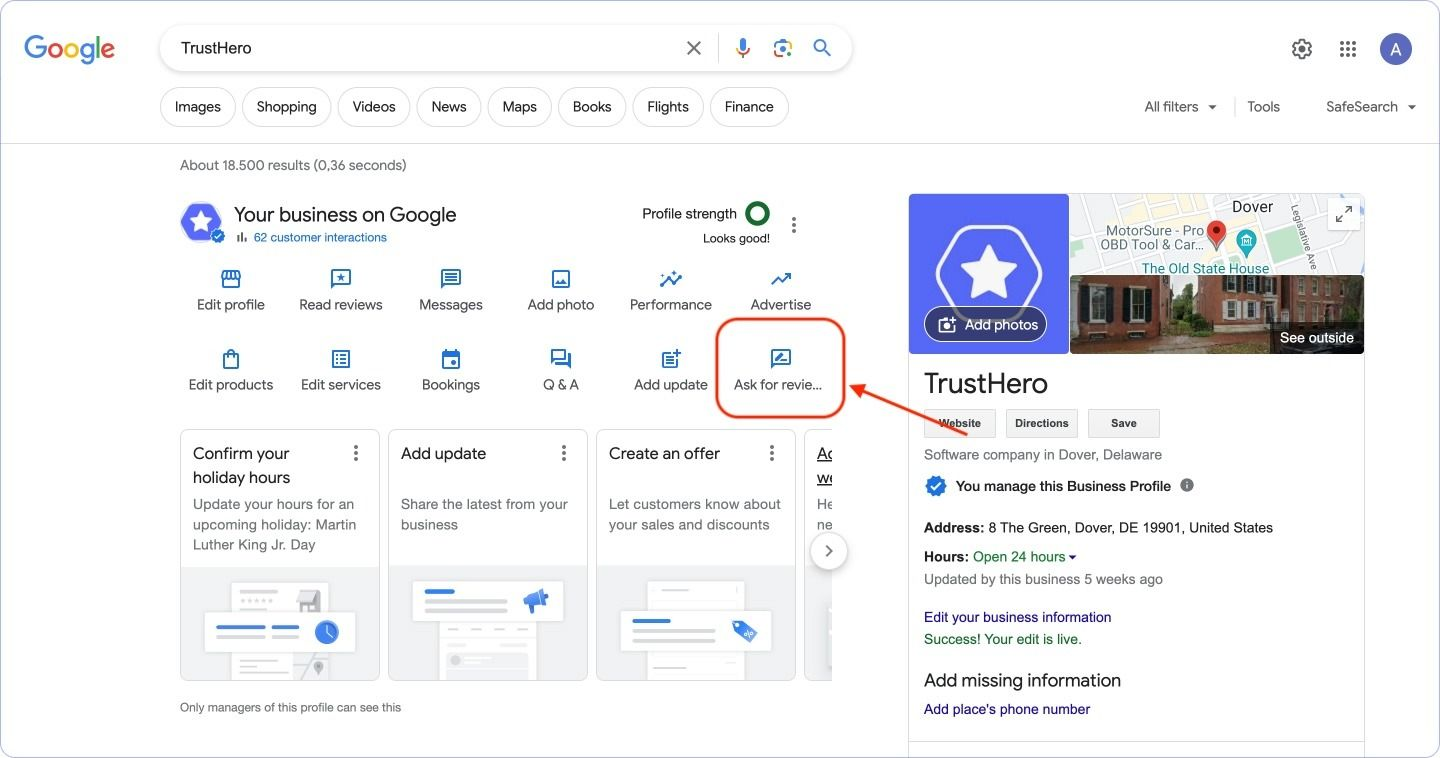
On your Google My Business profile page, click Ask a review
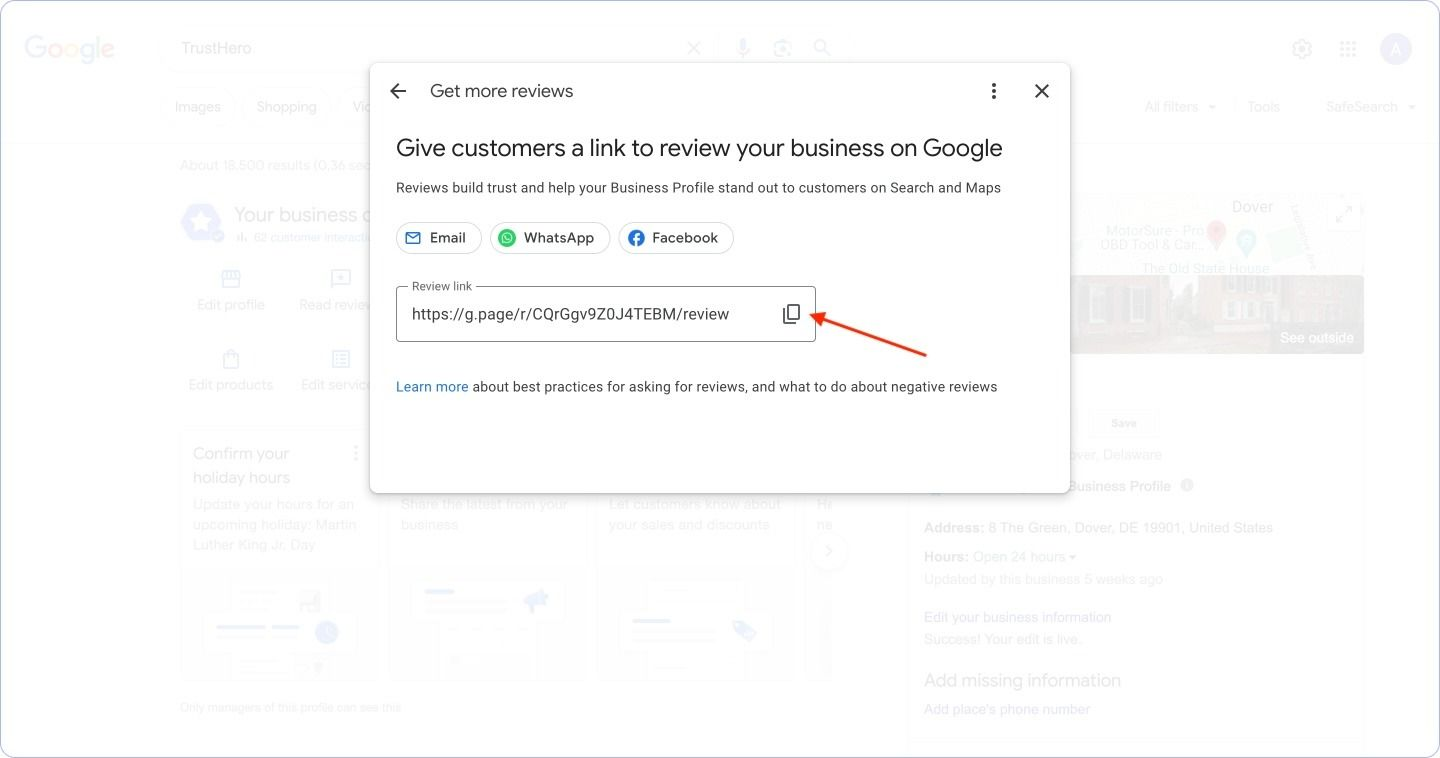
Copy the link to your review collection form.
Mobile
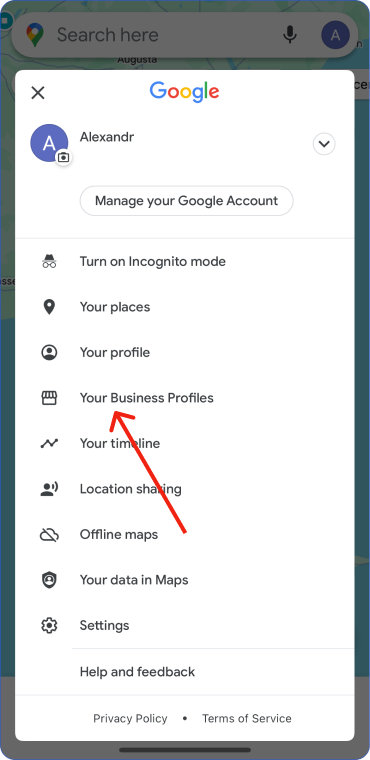
Go to Google Maps and click on your profile icon. If necessary, select the profile to which your Google My Business is connected.
Go to Google Maps and click on your profile icon. If necessary, select the profile to which your Google My Business is connected.
Select Your Business Profiles
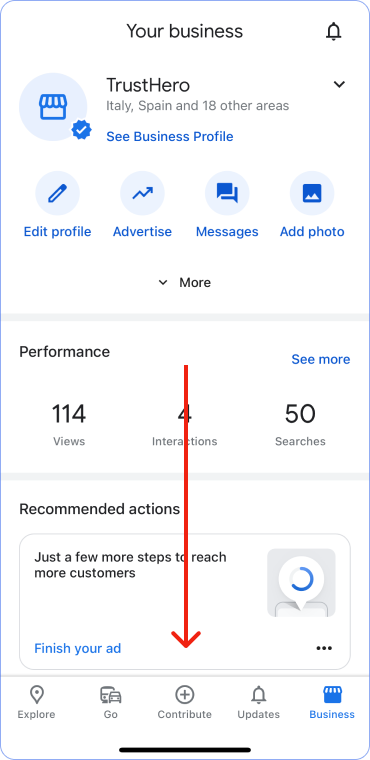
Scroll down
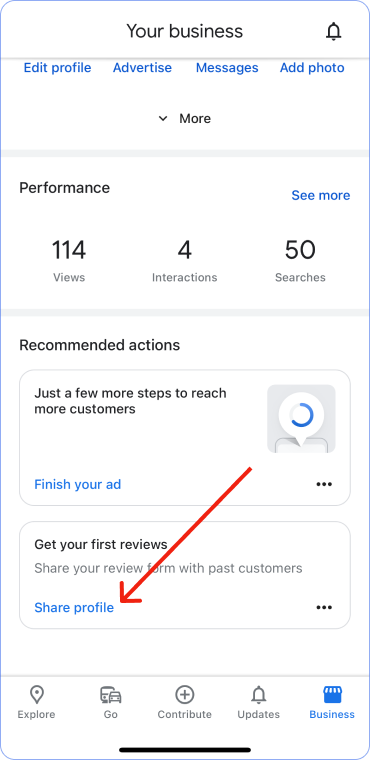
In the Get reviews section, click Share profile
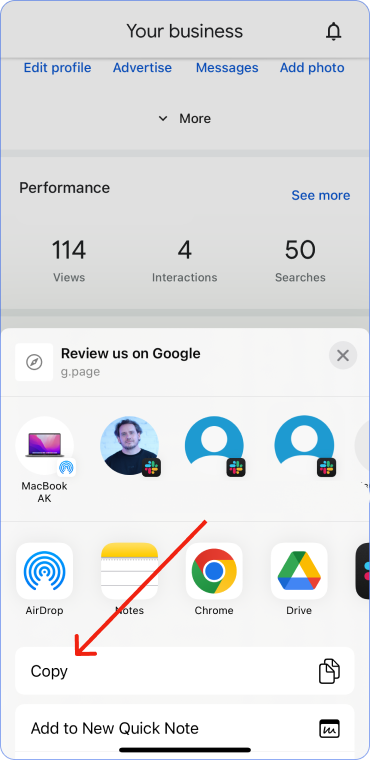
Copy the link. Done.
Step 2: Set up a redirect
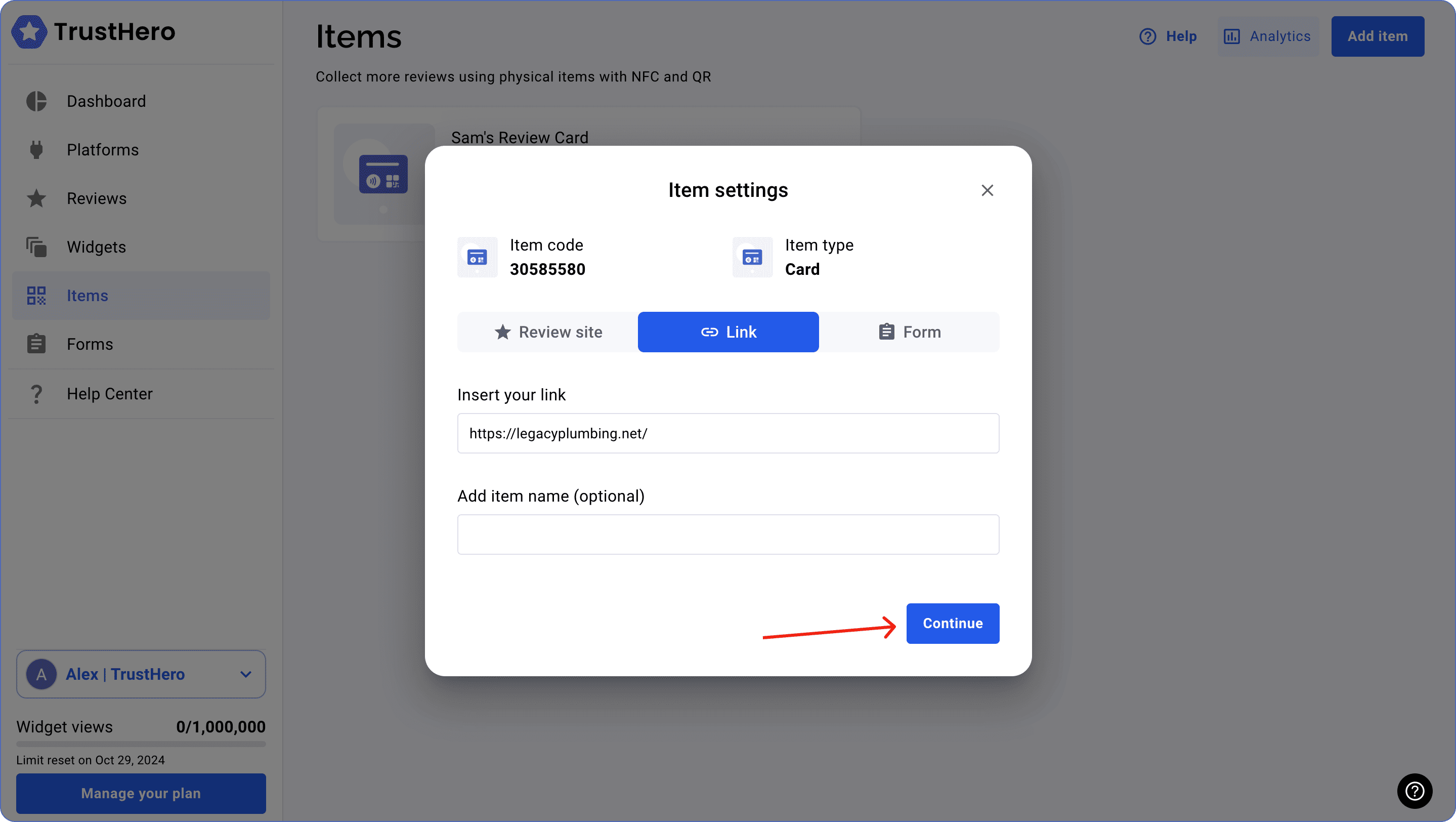
Go to the item settings and select click on Link.
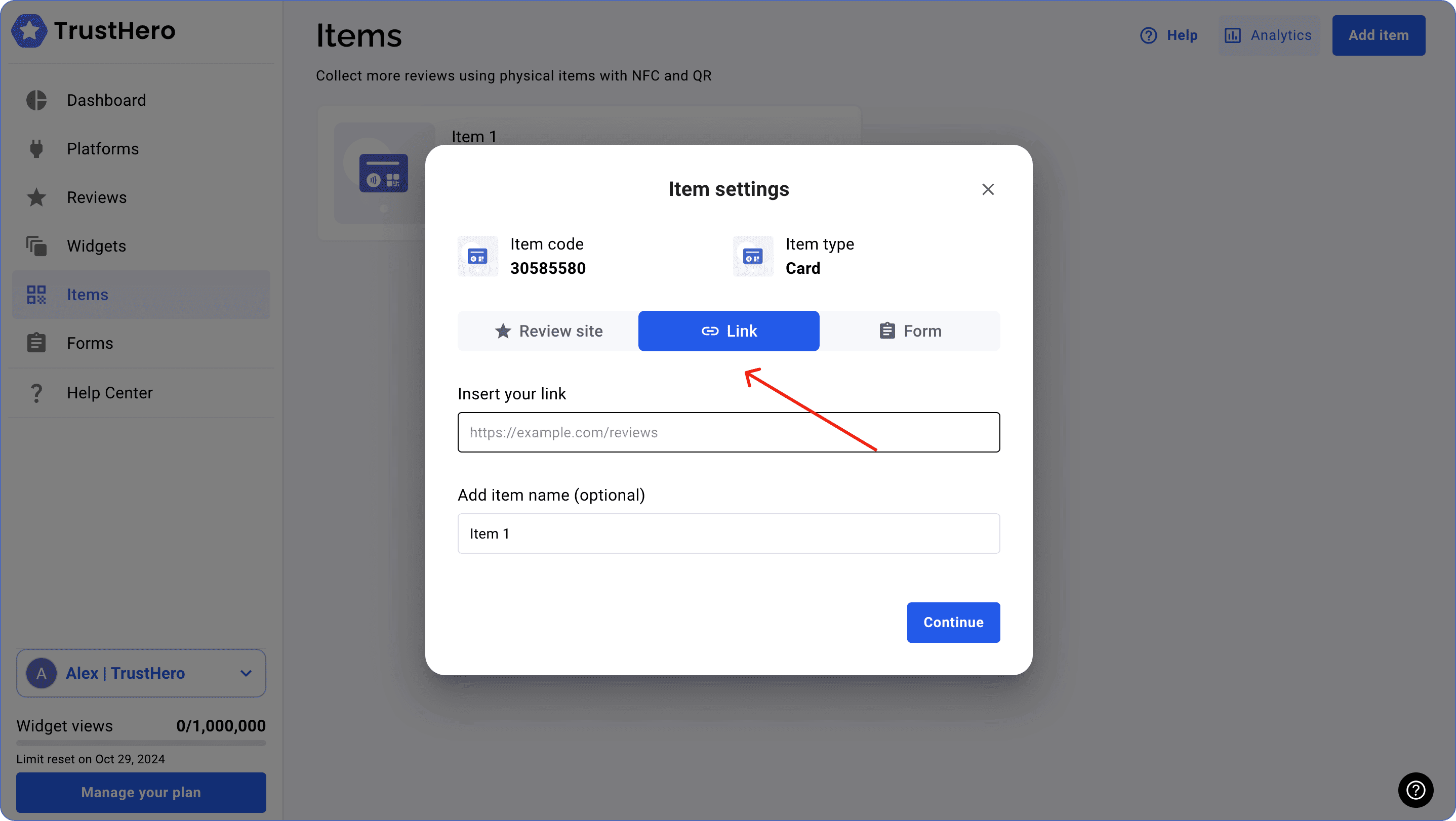
Add a link to your Google reviews page.
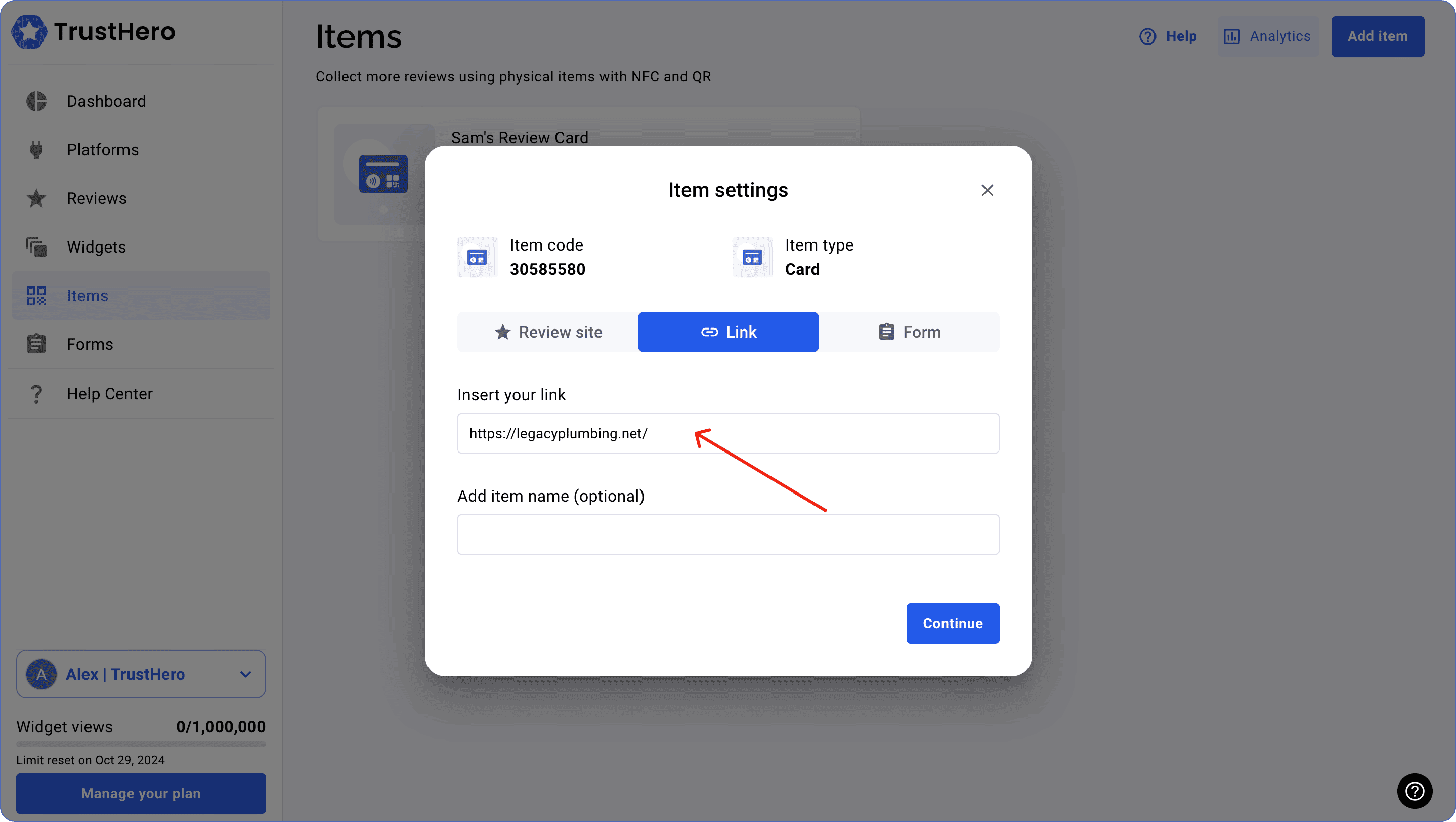
Click Continue to finish setting up your item.