Google reviews (Google Business Profile) link
Edited
You can find a link to your Google reviews page via desktop or mobile:
Desktop
Mobile
Desktop
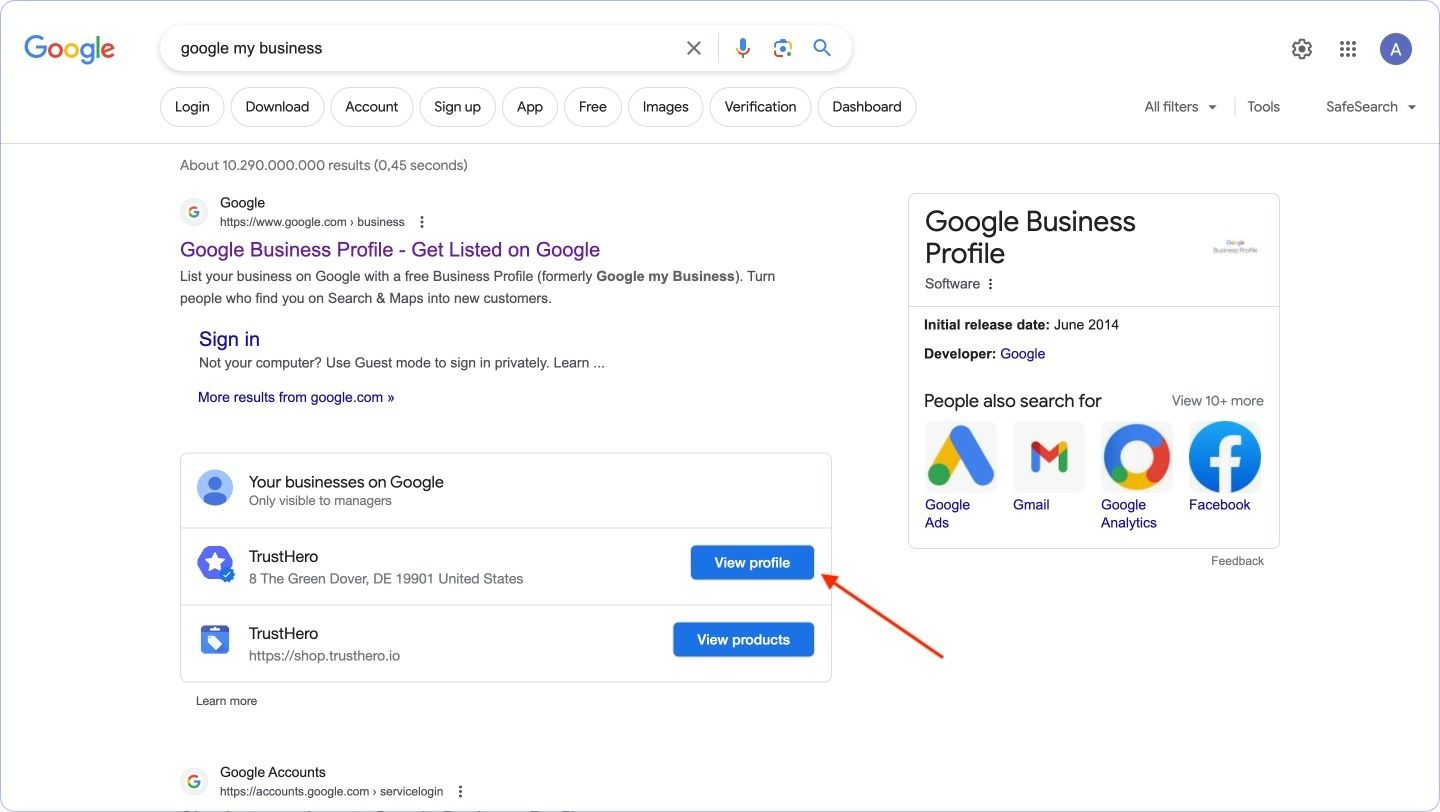
To get a link to your Google Reviews collection form you need to go to your Google My Business.
Select the required profile and click View profile.
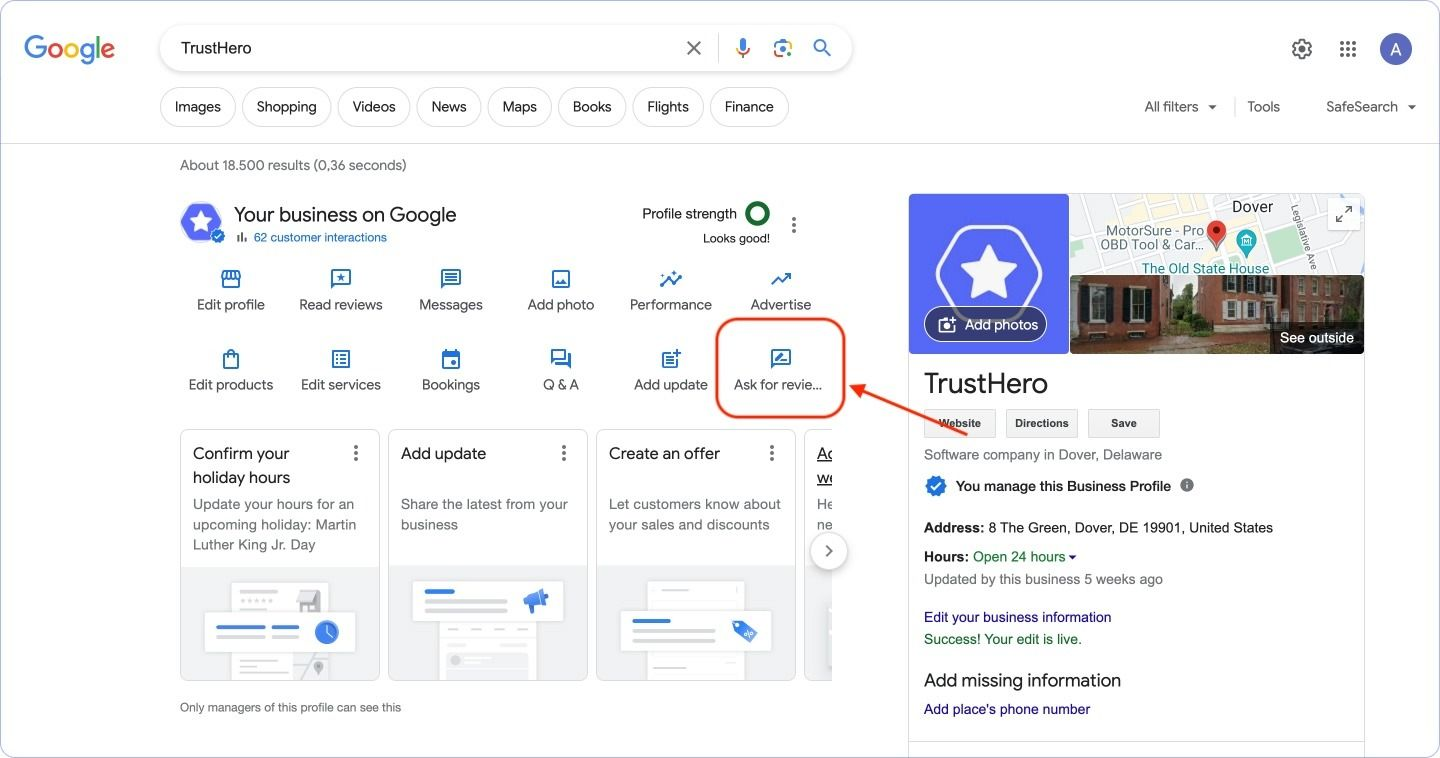
On your Google My Business profile page, click Ask a review
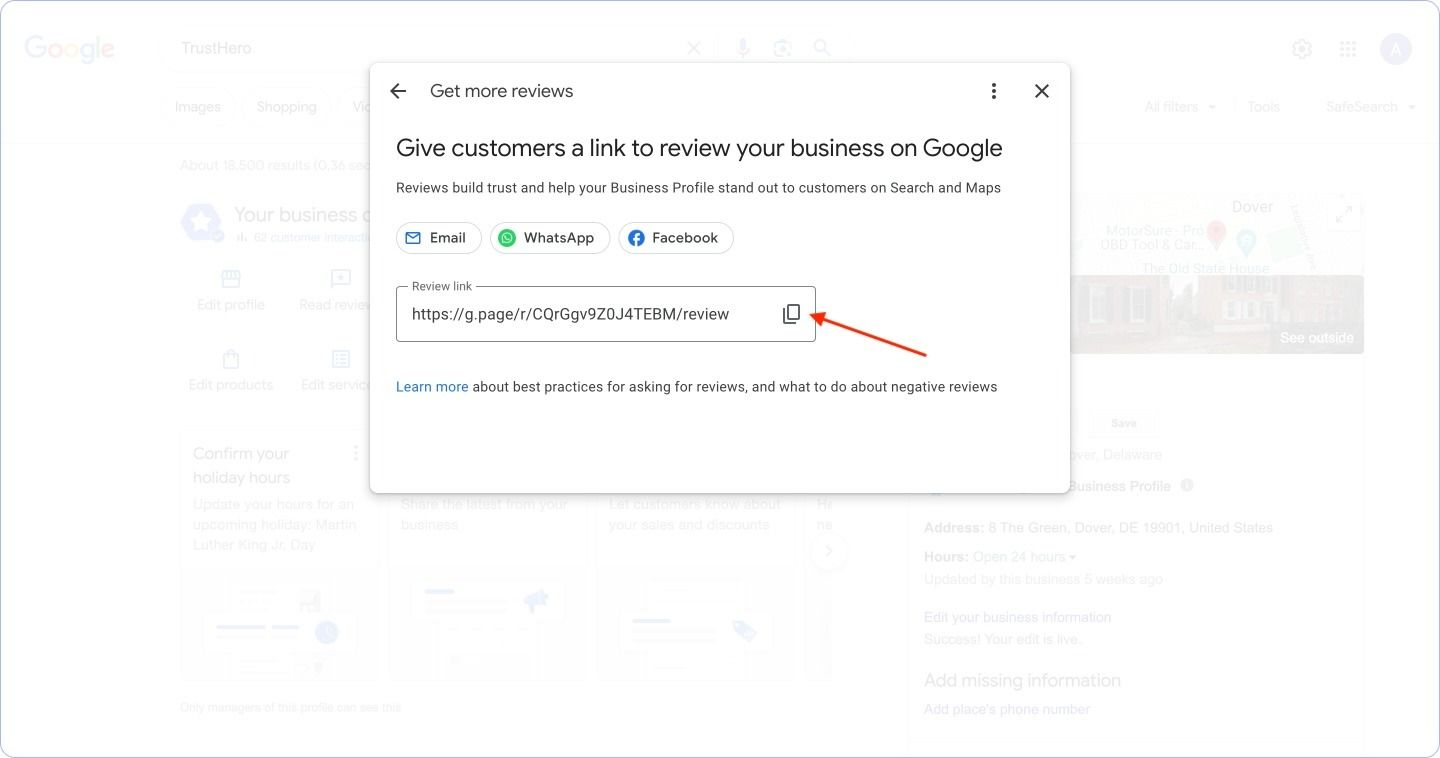
Copy the link to your review collection form.
Mobile
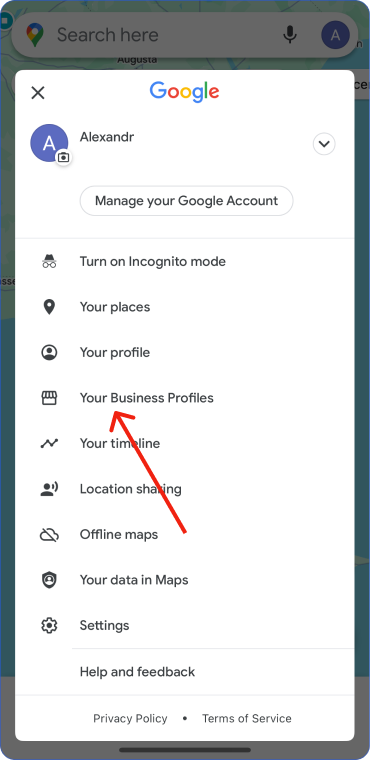
Go to Google Maps and click on your profile icon. If necessary, select the profile to which your Google My Business is connected.
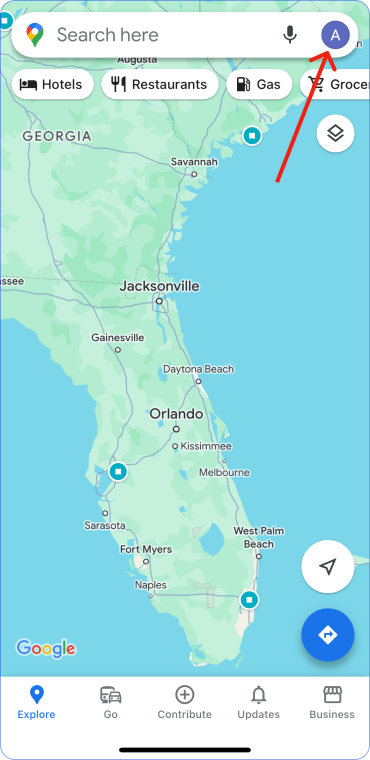
Select Your Business Profiles
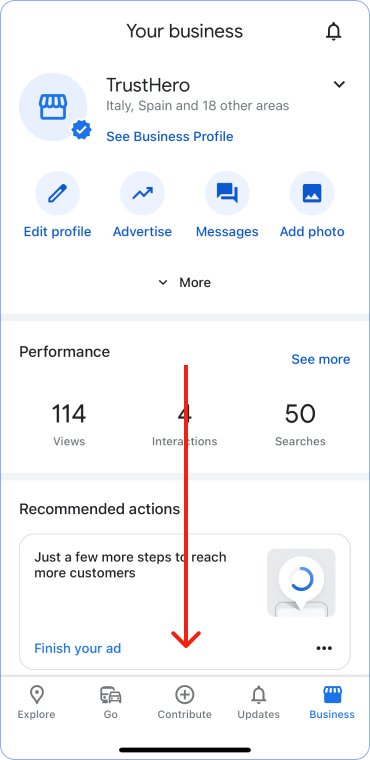
Scroll down
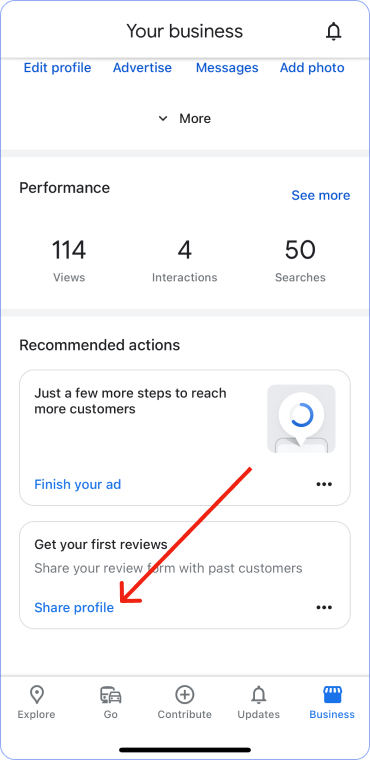
In the Get reviews section, click Share profile
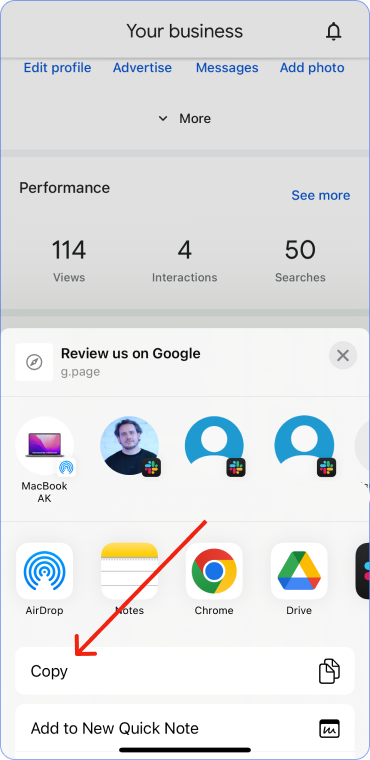
Copy the link. Done.
Was this article helpful?
Sorry about that! Care to tell us more?