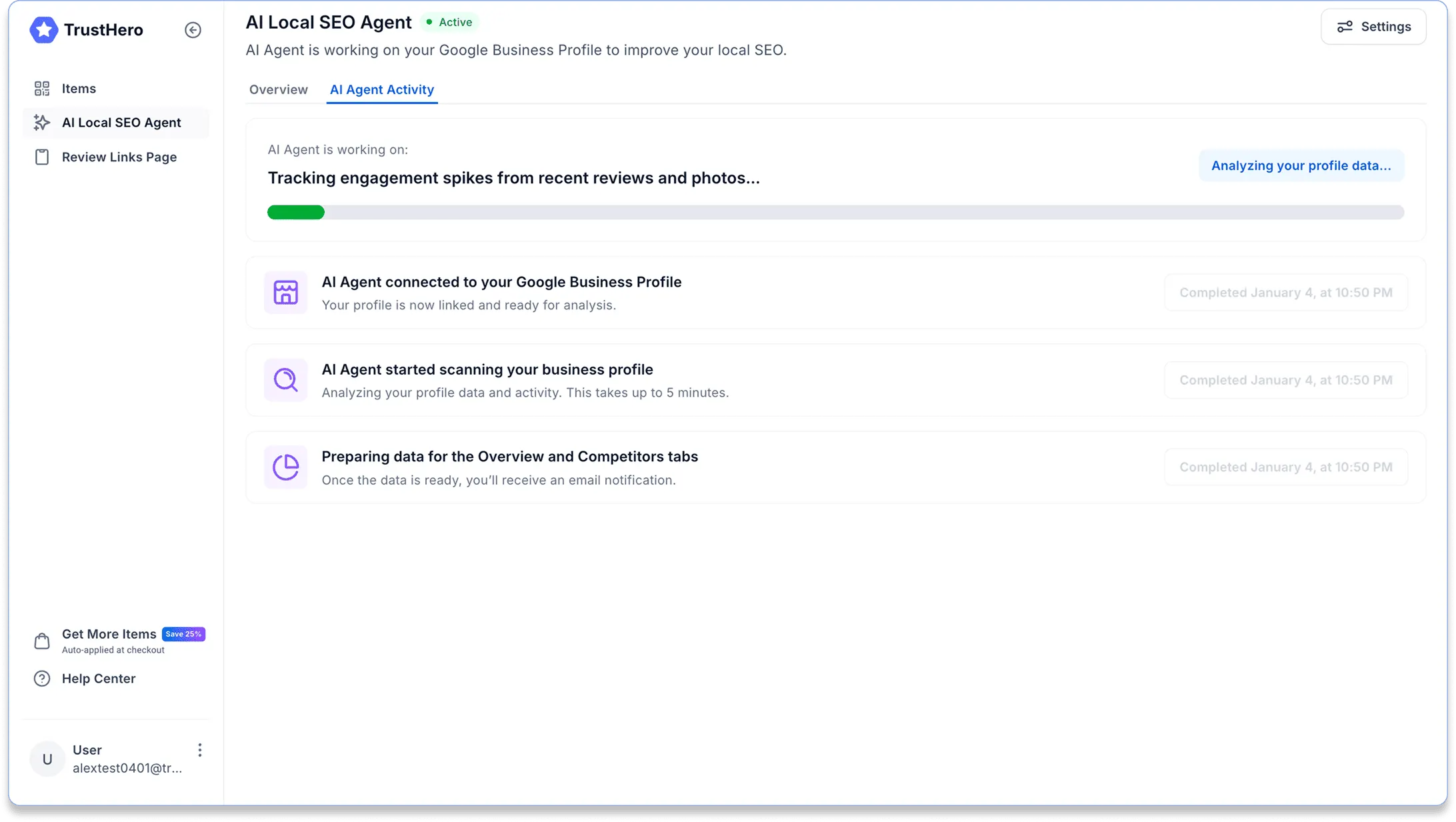
How to Activate and Set Up Your AI Local SEO Agent
This guide will walk you step by step through activating and setting up your AI Local SEO Agent.
The process takes just a few minutes and requires access to your Google Business Profile.
Step 1: Connect Your Google Business Profile
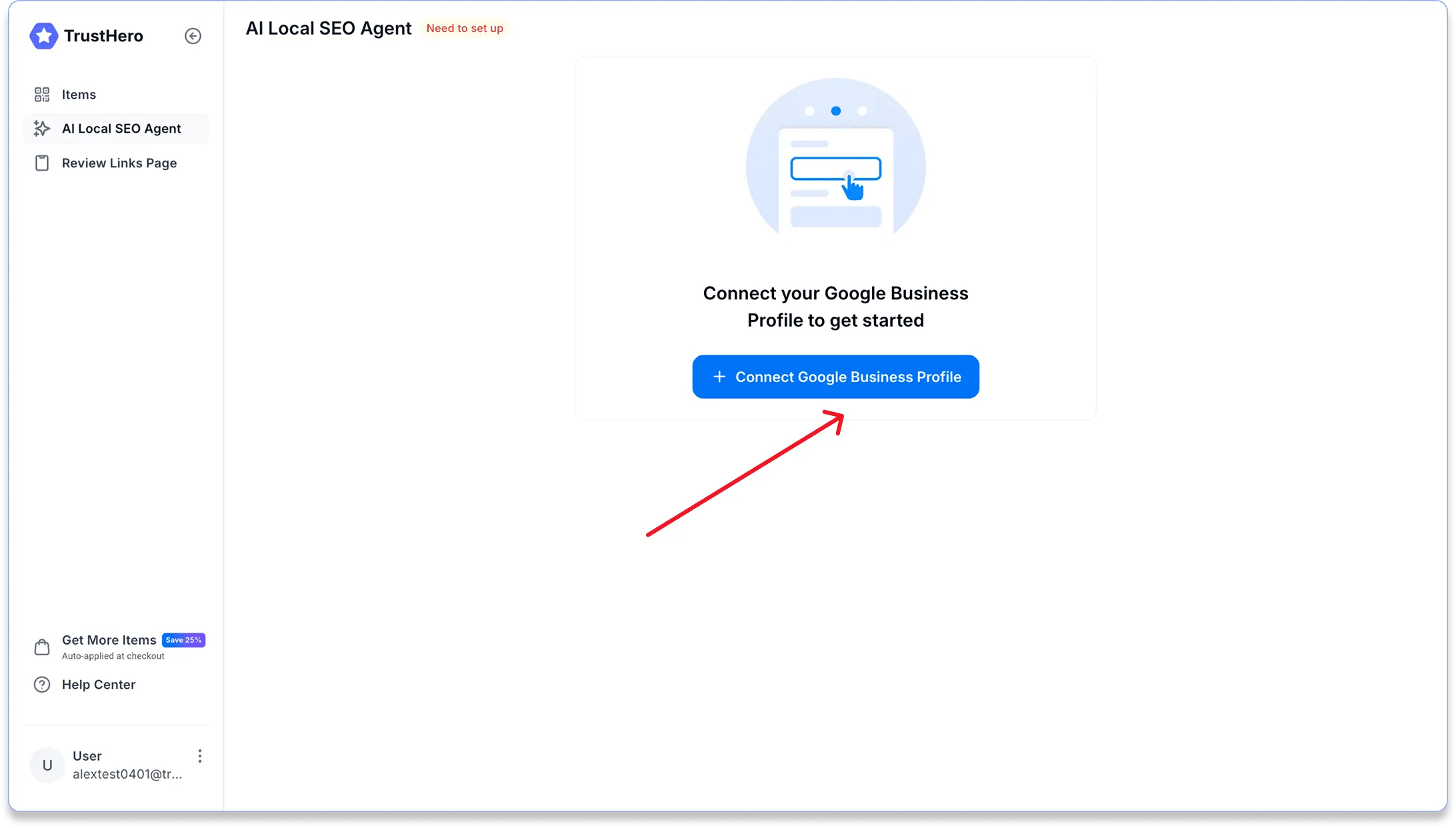
Go to the AI Local SEO Agent tab in your TrustHero account and click Connect Google Business Profile.
Sign in to Google
Log in using the Google account that manages your Google Business Profile.
⚠️ Important: You must sign in with the exact Google account that owns or manages your business location. Otherwise, the connection will not work.
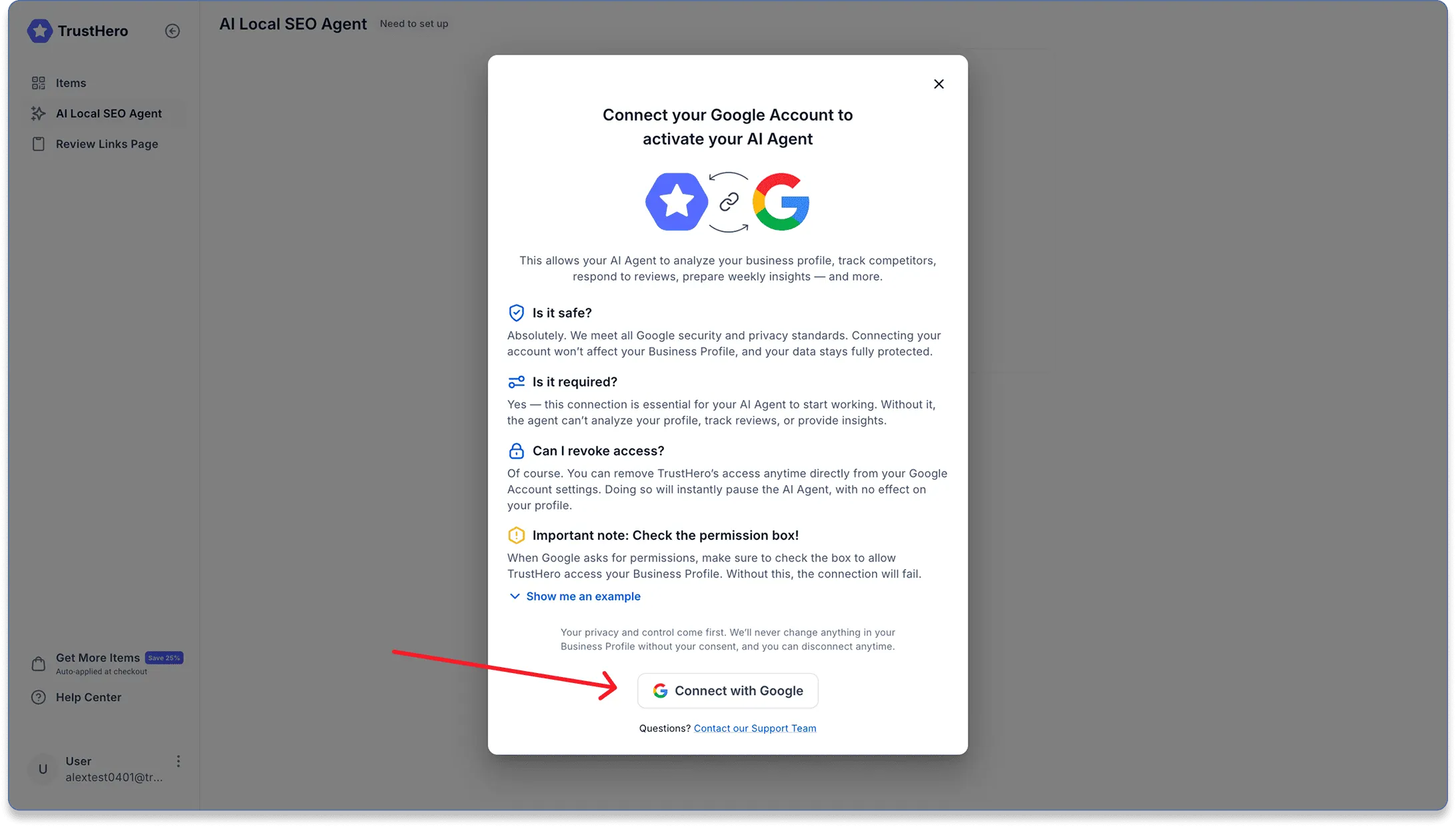
Grant access to TrustHero
When prompted, allow TrustHero to read and edit your Google Business Profile.
This access is required for the AI Agent to analyze your profile and work on your behalf.
[FAQ] Why do you need read, write, edit and delete permissions?
When you connect your Google Account, Google may ask you to grant TrustHero permission to see, edit, create, and delete your Google Business Profile data. This wording comes directly from Google and is part of their standard access agreement for any platform that manages or optimizes Google Business Profiles.
In practice, this access allows TrustHero to do things like analyze your profile, monitor reviews, publish updates, and suggest or apply optimizations that improve your visibility in Google Maps. TrustHero does not delete business profiles, remove listings, or make irreversible changes. Critical actions are never performed automatically and always remain under your control.
You can revoke TrustHero’s access at any time from your Google Account settings. Disconnecting instantly pauses the AI Agent and does not affect your Business Profile in any way. Your data, ownership, and profile integrity always stay with you.
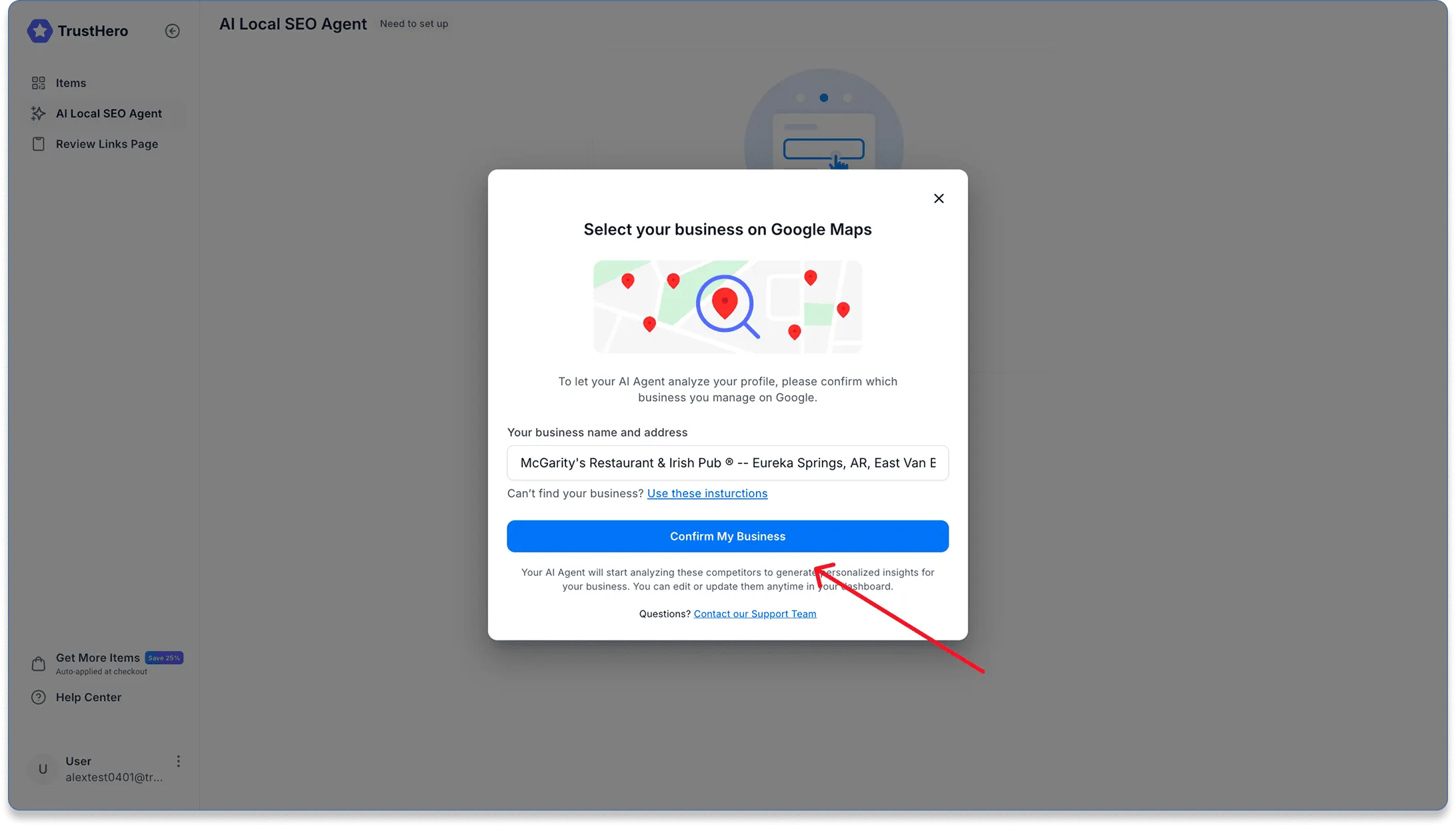
Find your business location
Use the search field to find your location by entering:
Your business name
Your business address (exactly as listed in Google Business Profile)
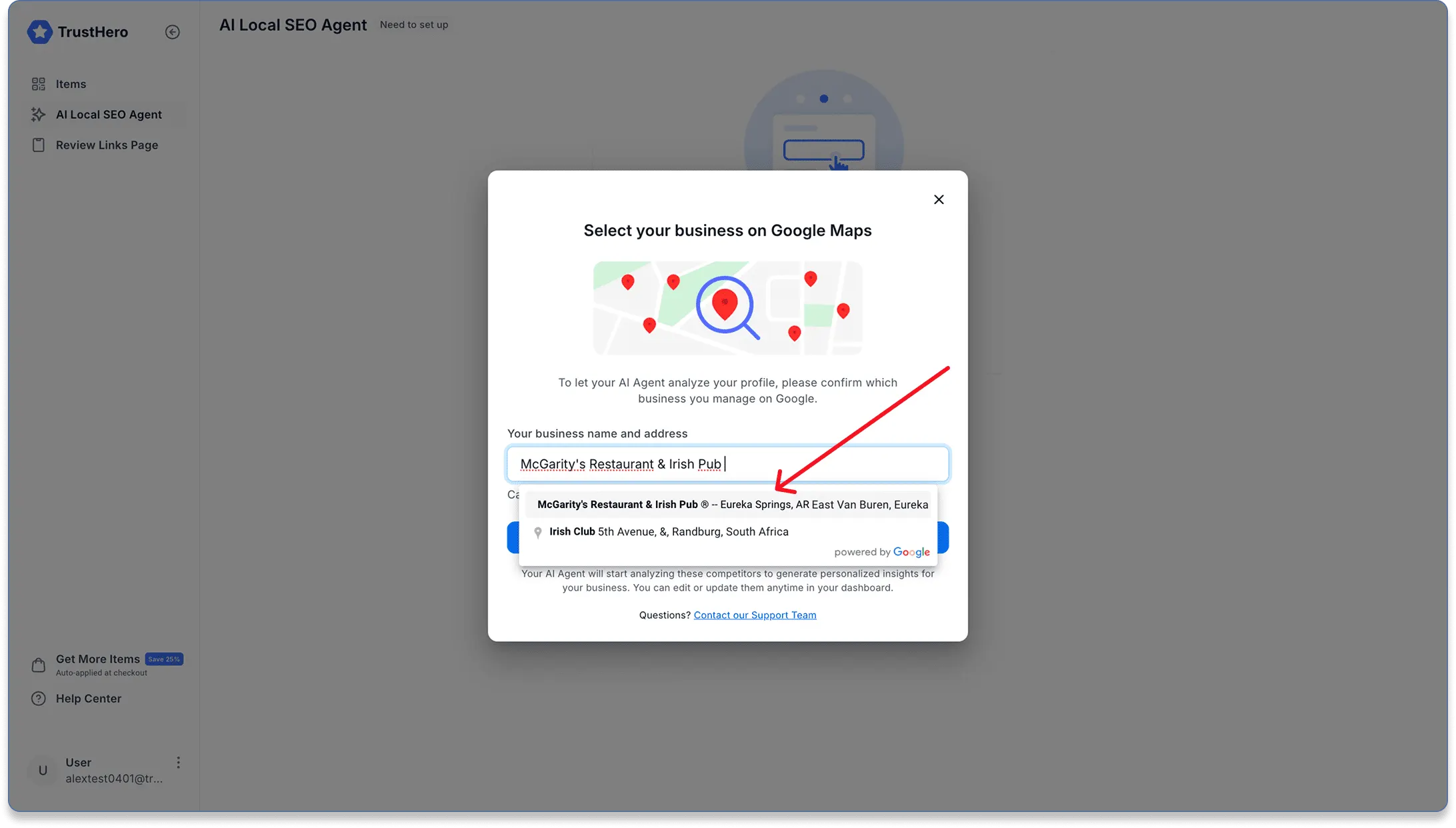
Once you find the correct location, click Confirm.
Step 2: Add Your Competitors
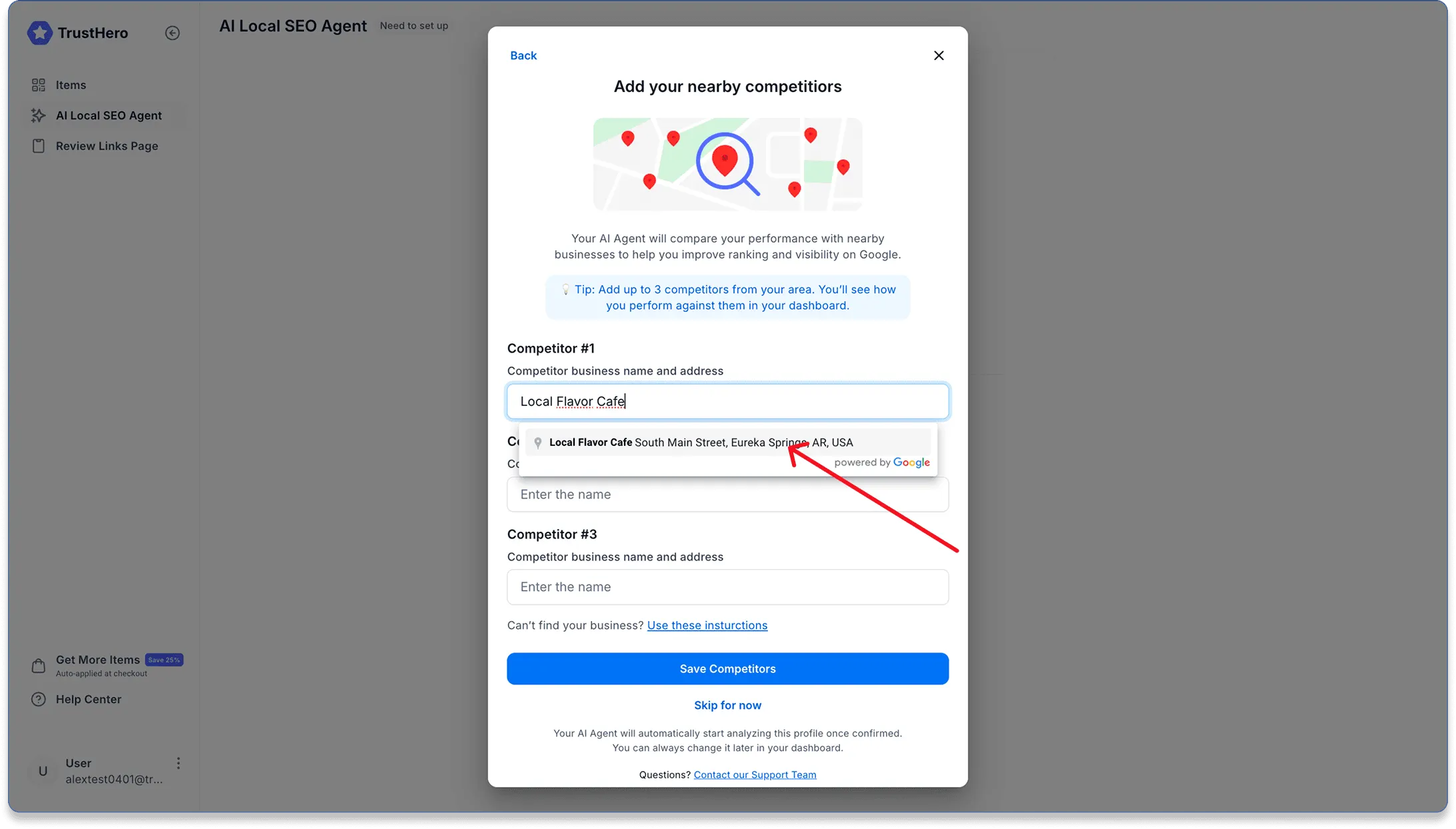
In this step, you’ll add competitors so the AI Agent can benchmark your performance and suggest improvements.
Search and add competitors
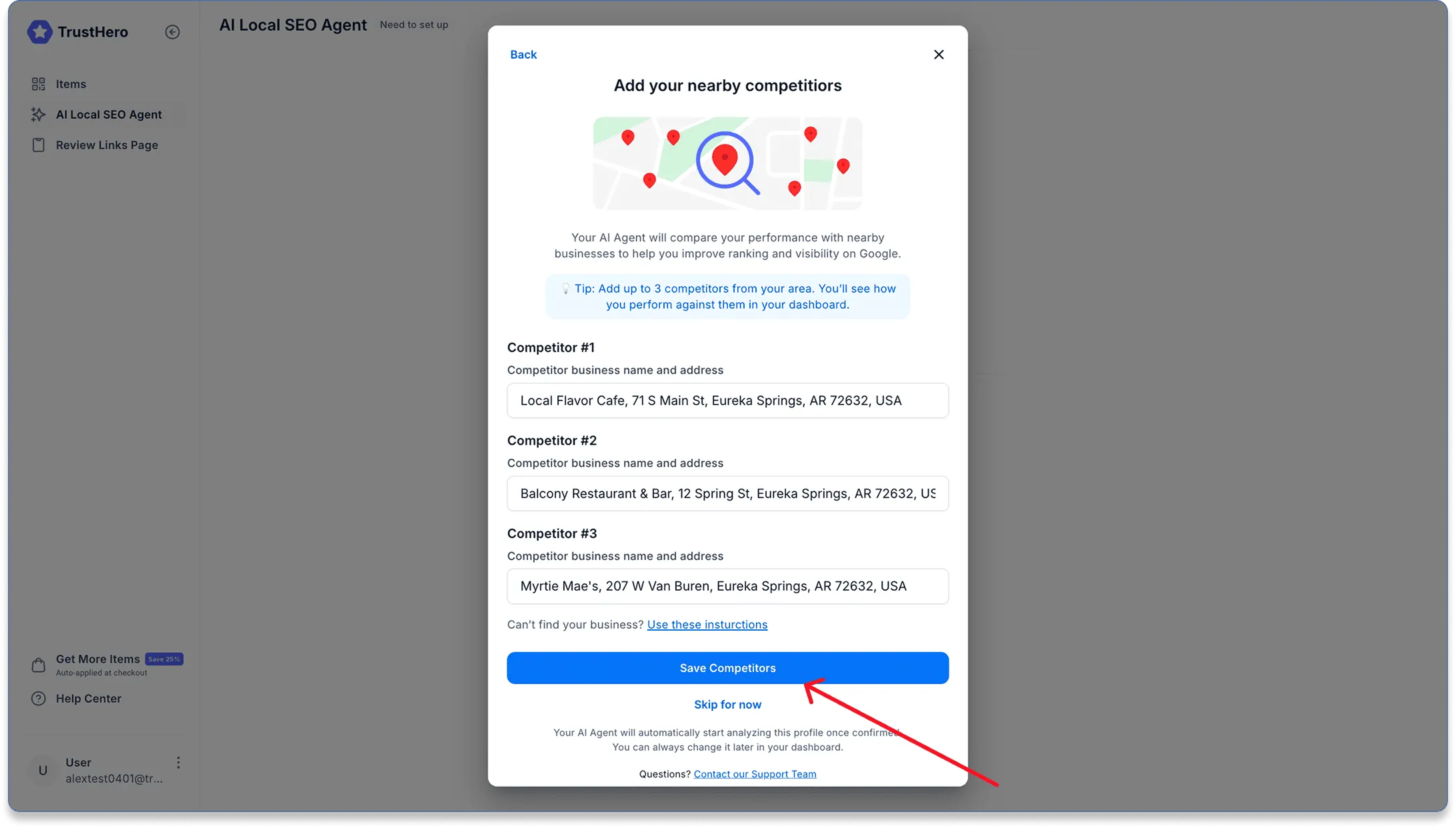
Using the search field, find and add up to 3 competitors from your local area.
💡 Tip: You can change or add competitors later, but we recommend doing this now so the AI Agent can start with better context.
After adding your competitors, save them and continue to the next step.
Step 3: Add the AI Agent to Your Google Business Profile
This is a critical step.
If you skip it, the AI Agent will not be able to operate.
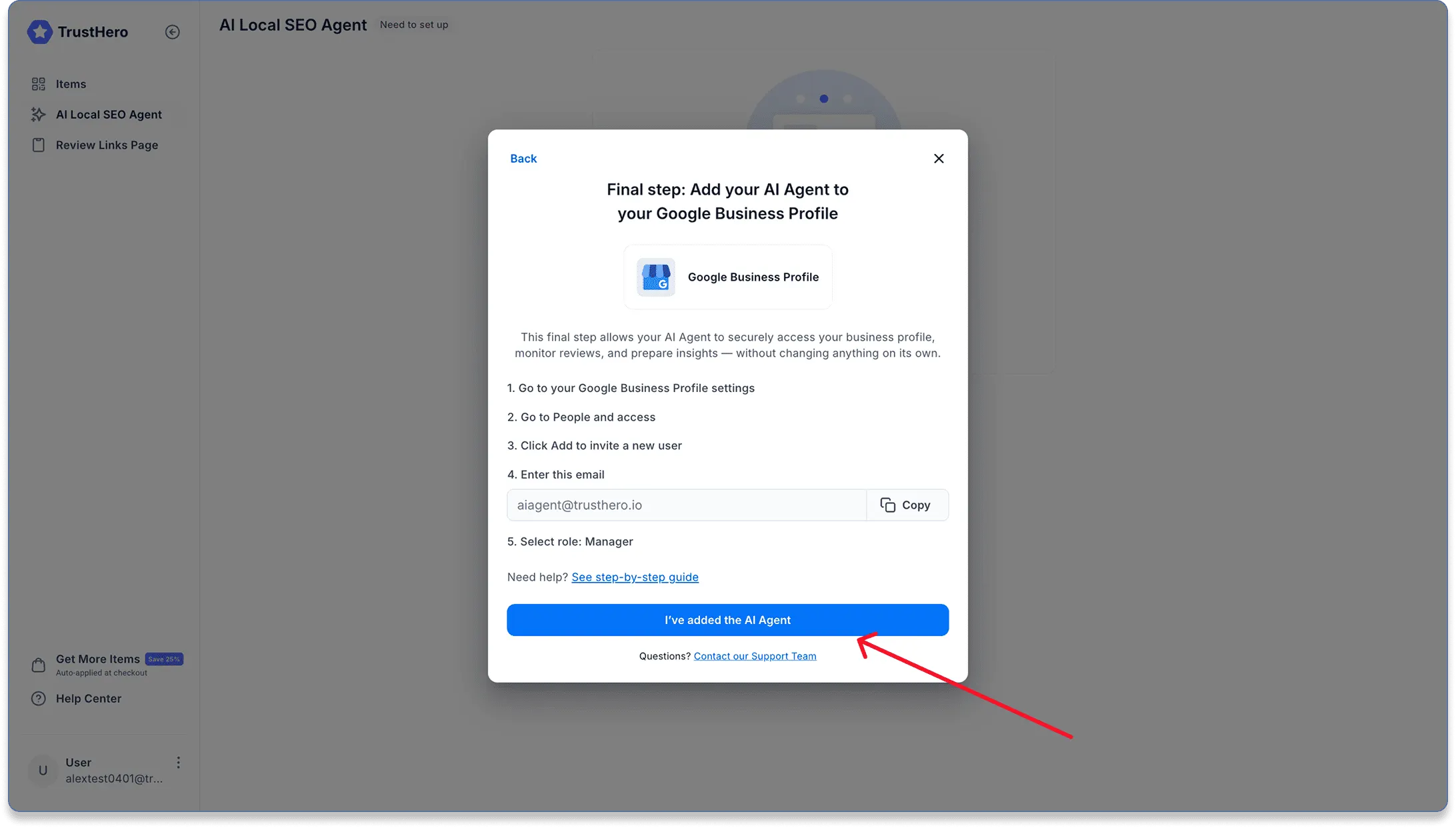
Copy the AI Agent email
Copy the following email address: aiagent@trusthero.io
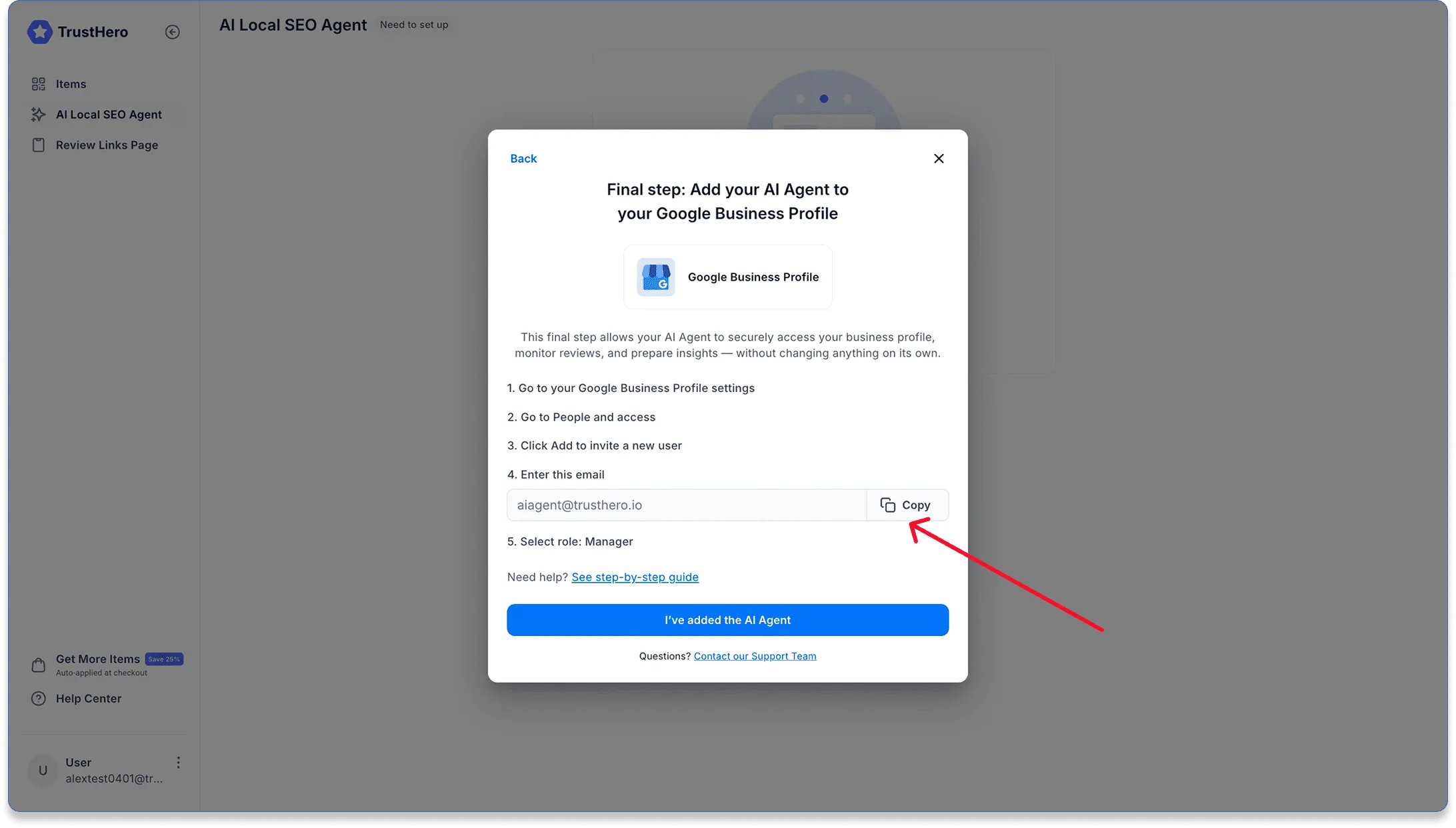
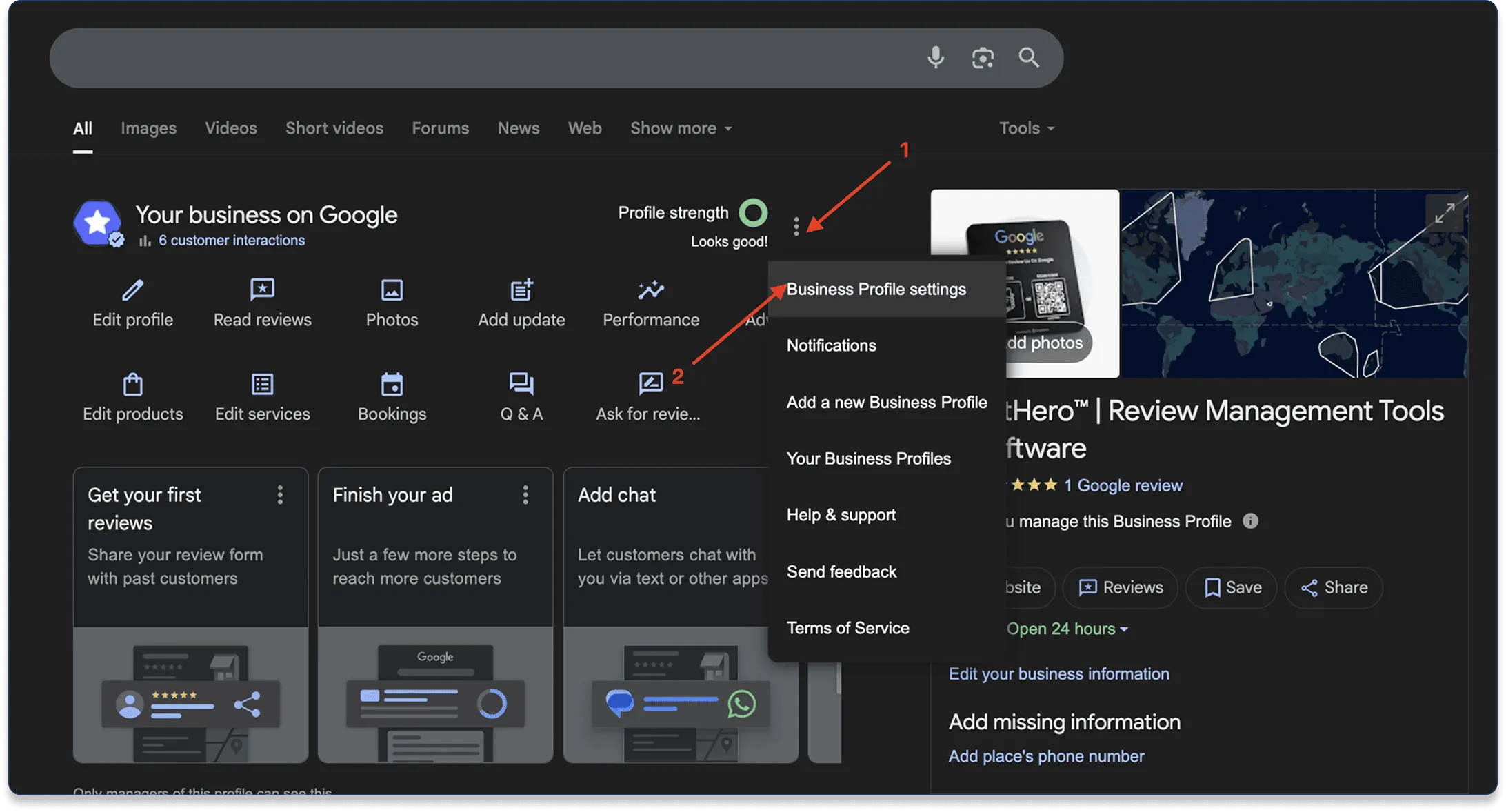
Invite the AI Agent in Google Business Profile
Go to your Google Business Profile:
Make sure you are logged into the account that manages your business.
Then follow these steps:
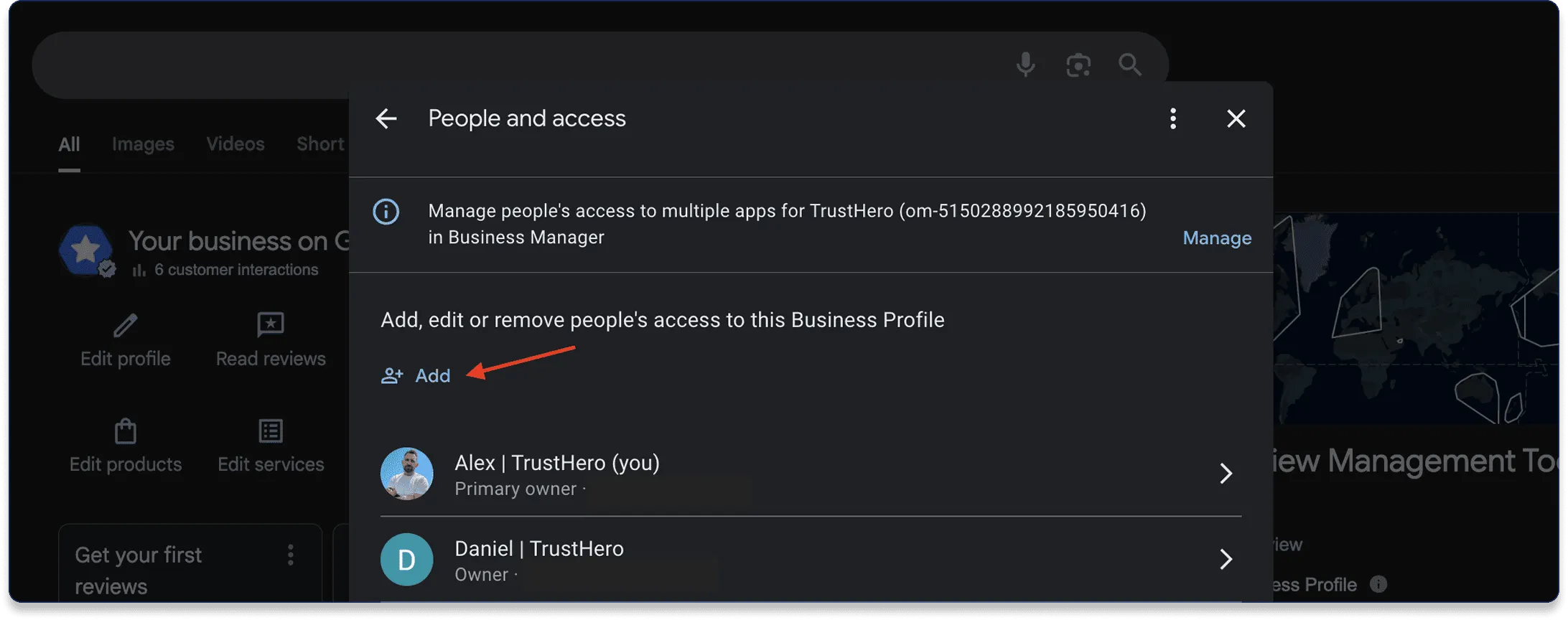
Open Settings → Managers
Click Add or Invite new user
Email to invite: aiagent@trusthero.io
Role: Manager
Send the invitation.
Confirm the invitation
After you’ve added the AI Agent as a Manager, return to TrustHero and confirm that the invitation was sent.
Activation Complete 🎉
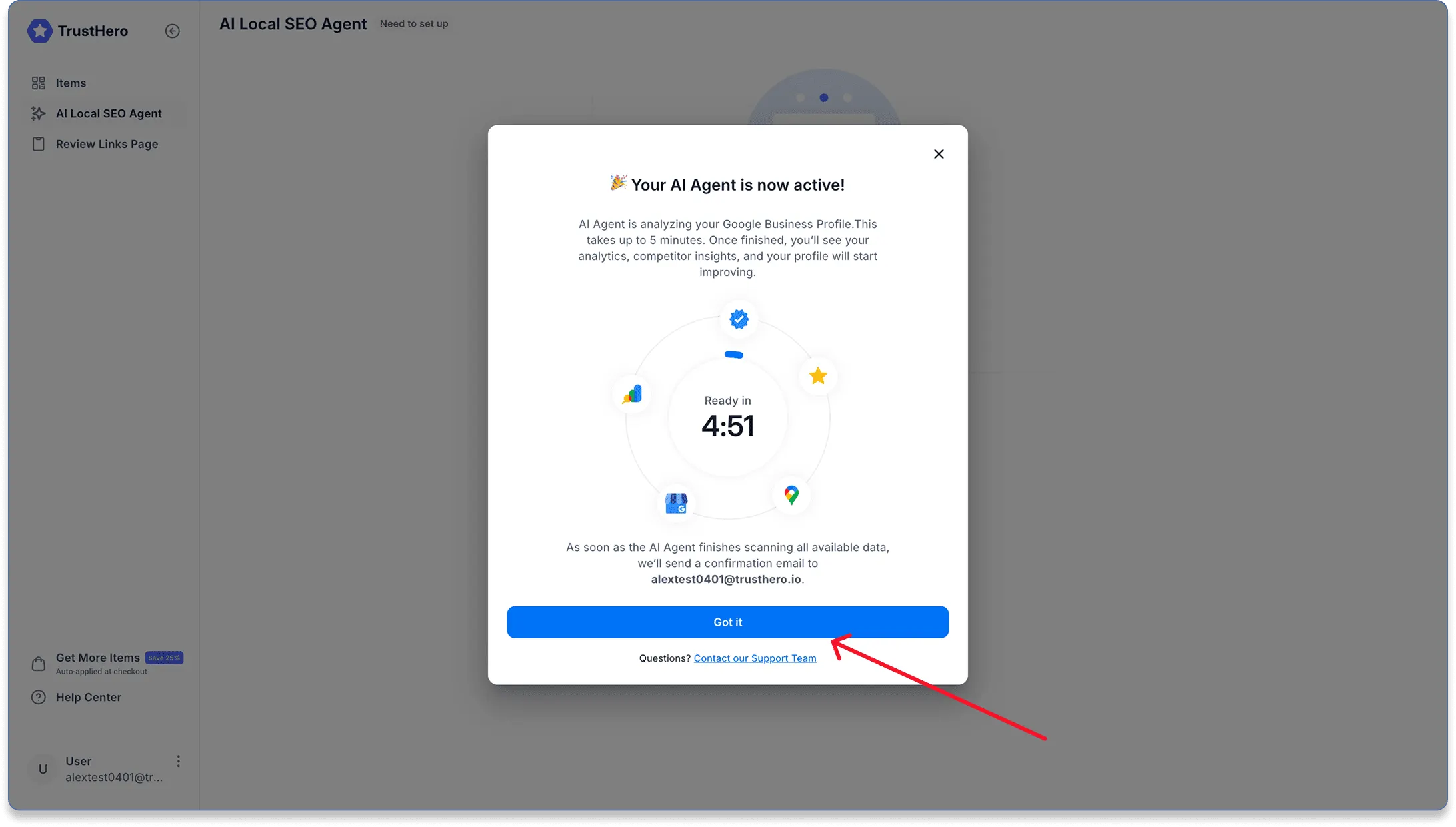
That’s it — your AI Local SEO Agent is now connected.
The Agent will need up to 5 minutes to sync your data and start processing your profile.
Once the analysis is complete:
You’ll receive a confirmation email
You’ll be able to review your first insights and recommendations inside the dashboard
Your AI Agent is now actively working to improve your Google Maps visibility and local rankings.