How to activate your AI Local SEO Agent
Edited
Welcome! Let’s activate your AI Local SEO Agent
Thanks for activating your AI Agent!
To start optimizing your Google profile, we just need access to it.
This takes less than 1 minute — follow the steps below.
Step 1 — Go to your Google Business Profile
Link: https://business.google.com/
Make sure you're logged into the account that manages your business.
Step 2 — Select your location (if you manage more than one)
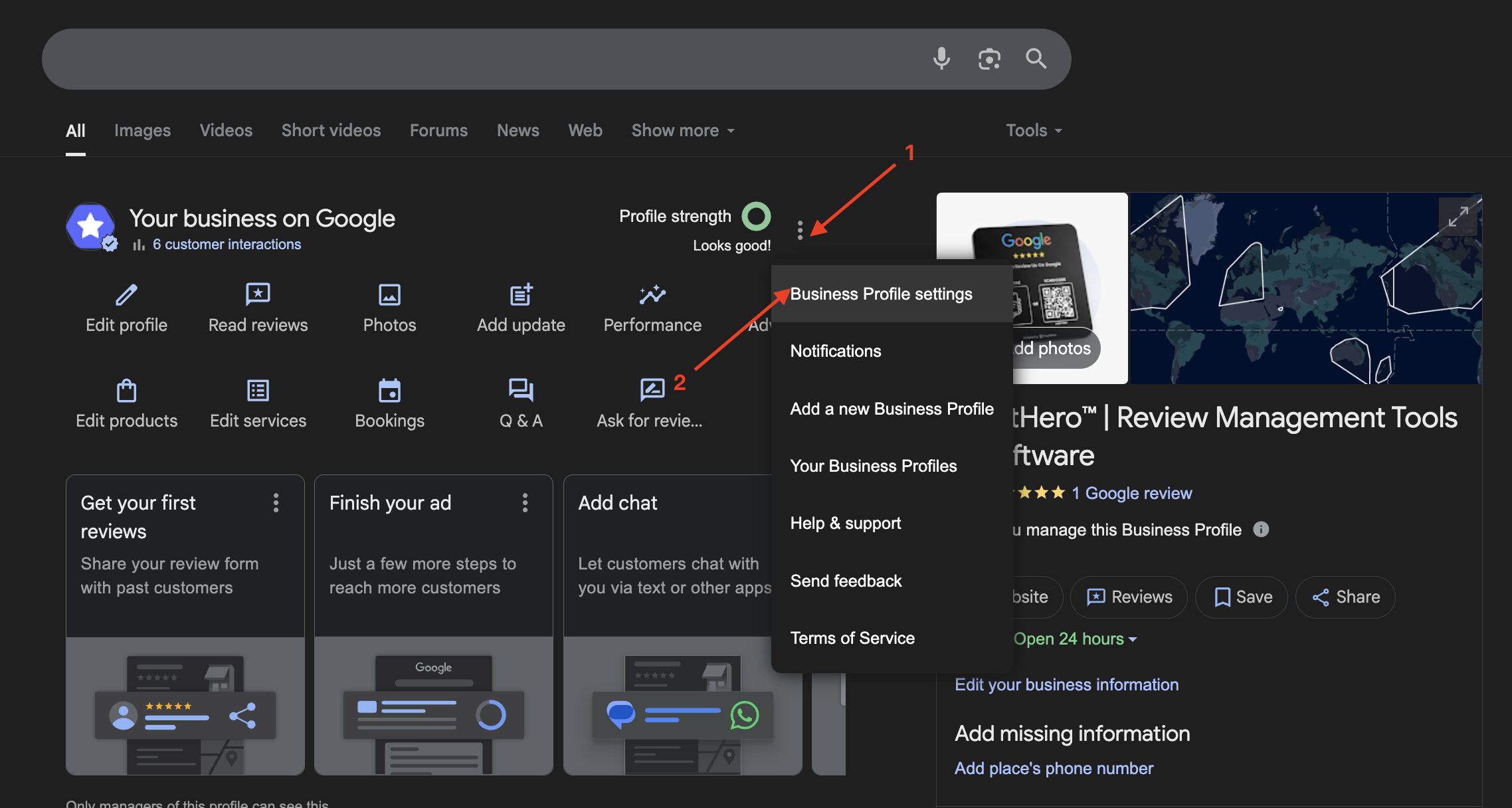
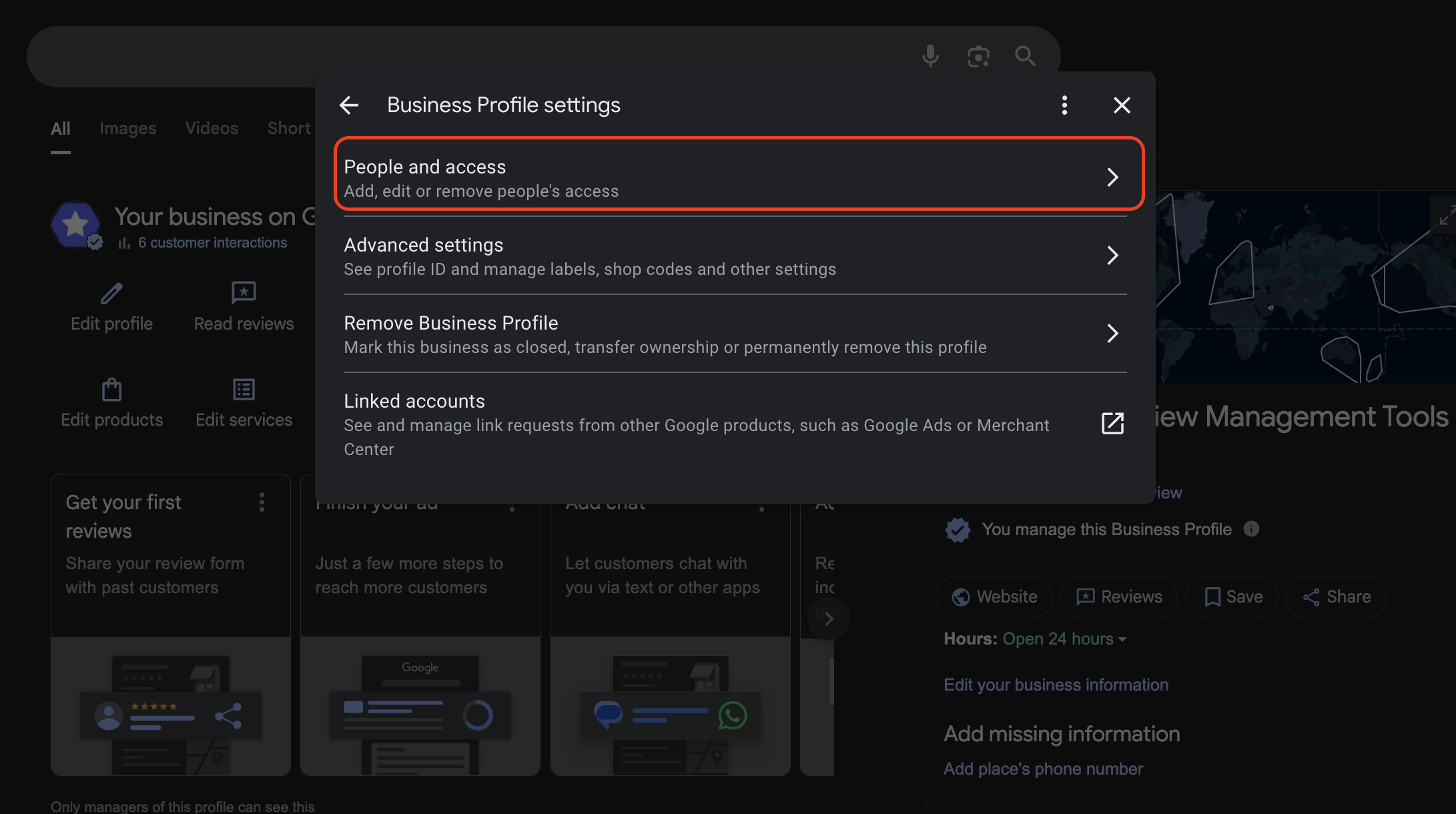
Step 3 — Invite our AI Agent
Click Settings → Managers
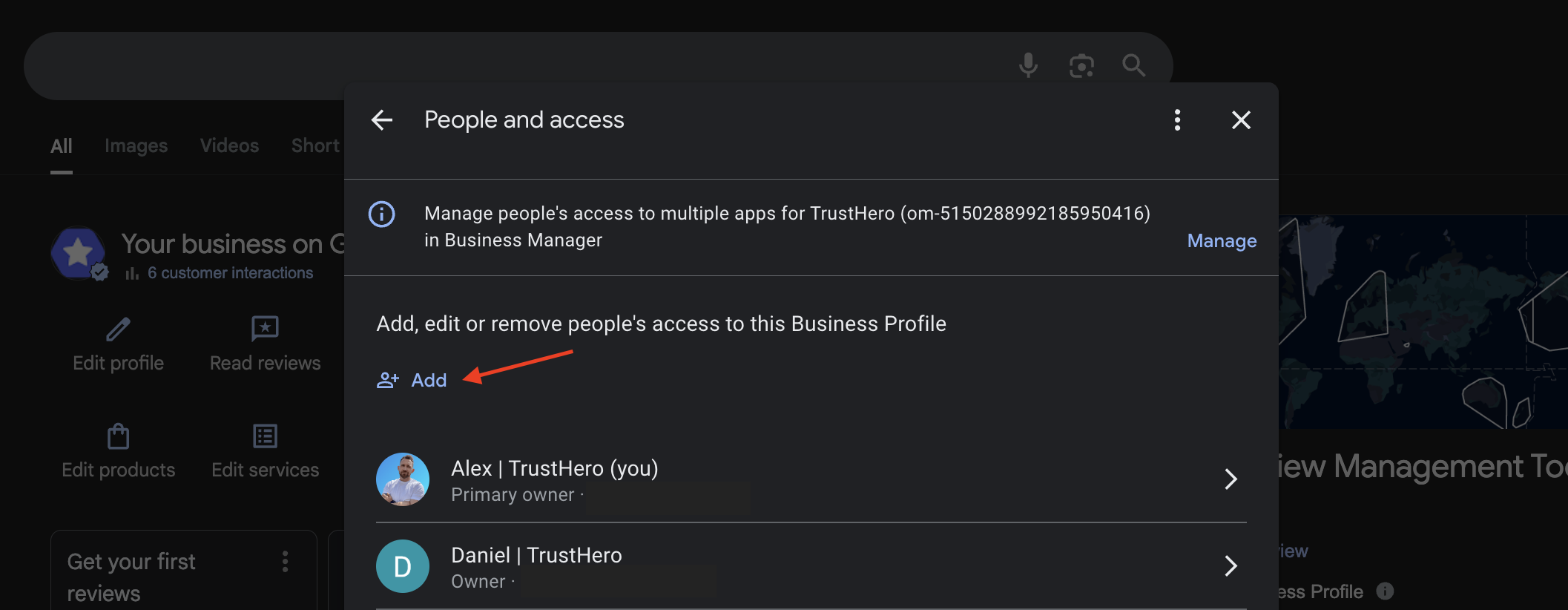
Click Add or Invite New User
Email to invite:
aiagent@trusthero.ioRole: Manager
That’s it! We’ll take it from here.
As soon as access is granted, your AI Agent will:
– analyze your profile
– respond to reviews
– suggest posts
– and prepare your first monthly report
You’ll receive a confirmation email within 1–2 business days.
Was this article helpful?
Sorry about that! Care to tell us more?