Internal Error after the item has been activated
Edited
If you see the error "Internal Error" after activating your item, then most likely you have inserted an incorrect link.
Please make sure you only insert a link to your review page.
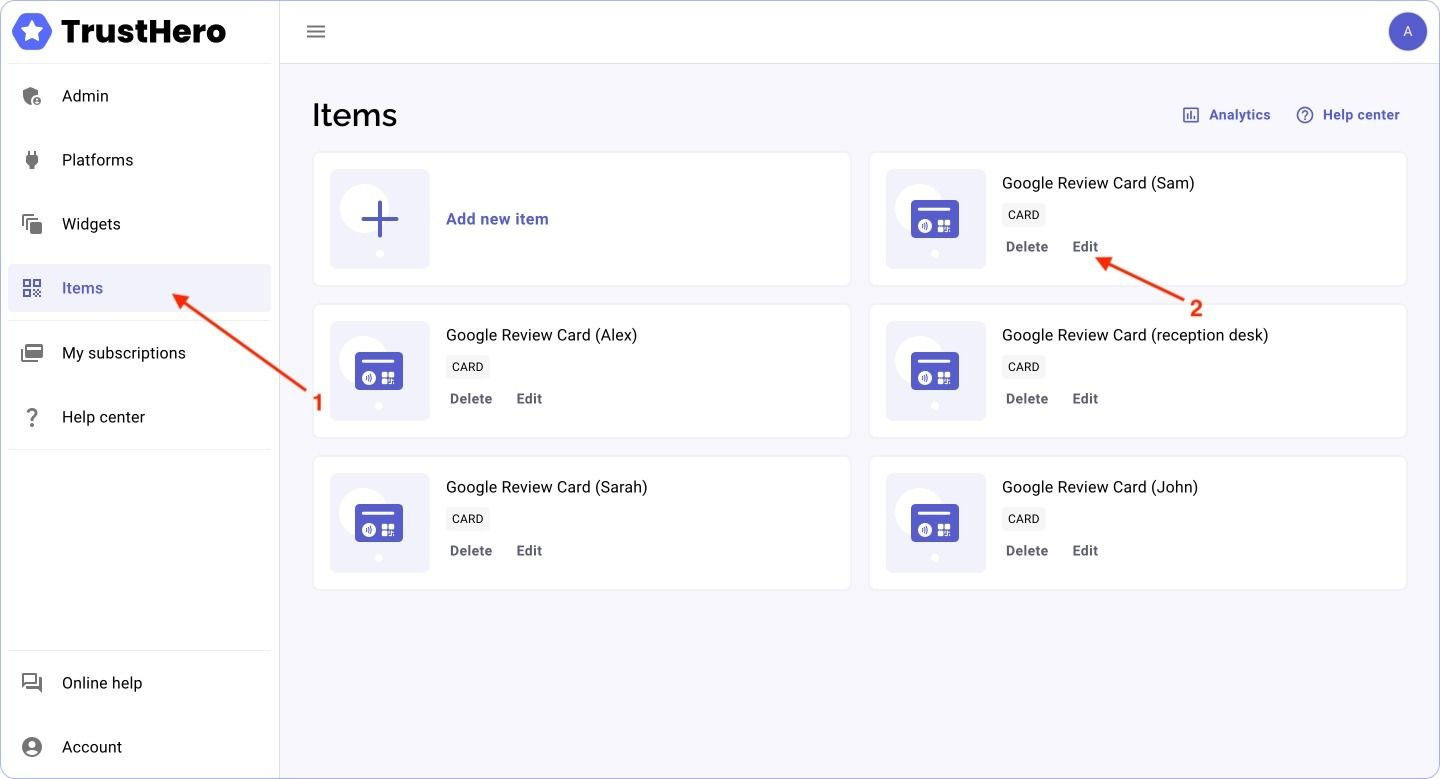
Go to the Items page and Select the item in which the error is present and click "Edit"
Make sure that the "Add a link to your reviews page" field does not contain anything other than a link to your page. For example, your company name.
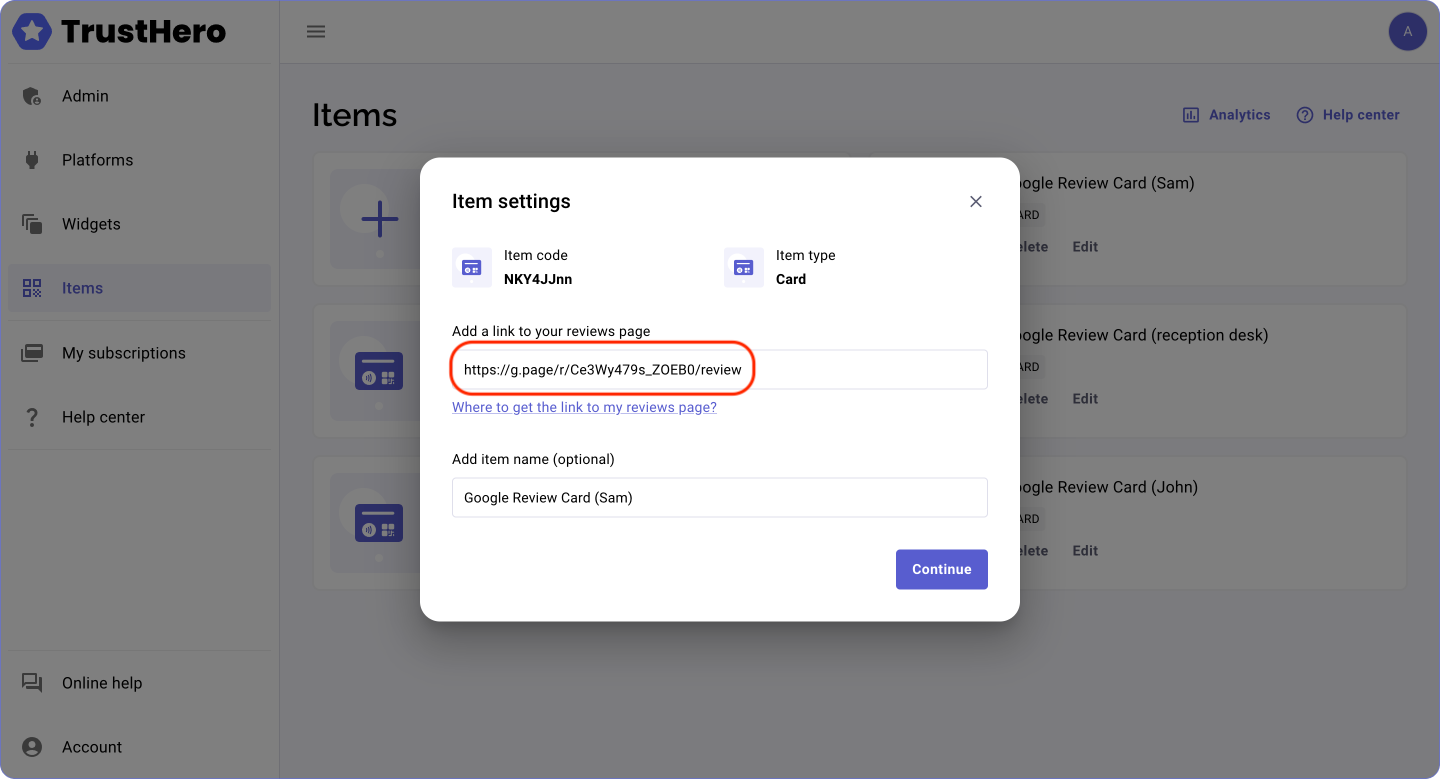
If the field contains any text other than a link, delete it and click "Continue"
Was this article helpful?
Sorry about that! Care to tell us more?